

microtask guide: Top 20 microtasks websites and micro jobs to earn side income. Step-by-step strategies, platform reviews, payout tips, and beginner-friendly advice for fast microtasking results.
If you want straightforward ways to earn extra cash without special training, microtask work is one of the most accessible options. I’ve spent years testing dozens of microtask platforms, doing the small jobs myself, and optimizing a workflow that turns tiny tasks into a reliable side income. This guide is written in a plain, human tone — no fluff — and gives step-by-step strategies for 20 microtask sites, why to use each one, how to get the most out of them, and realistic earning expectations.
I’ll also point you to two internal resources that help you grow what you earn: check out Smart Ways to Grow Your Savings (2025) and, if you want to upskill into more lucrative tech gigs later, read Earn from Replit — Proven Ways (2025 Guide).
Quick overview: what is a microtask and who it’s for?

A microtask is a short, well-defined online job — tagging an image, answering a short survey, testing a website, transcribing a 30-second clip, or checking a local store photo. Microtask work is:
-
Low barrier to entry (usually no experience required)
-
Flexible (work anytime, anywhere)
-
Pay-per-task (small amounts) — but it adds up if you work smart
Who benefits most: students, stay-at-home parents, people between jobs, and anyone who wants a reliable hour-by-hour way to make extra money online.
How I structured this guide (and how to use it)
For each microtask platform below I give:
-
A short overview (what kind of micro jobs it offers).
-
Why use it (where it fits in your stack).
-
A step-by-step strategy to get started and scale.
-
Realistic earnings based on how people actually perform microtasks.
-
A link to the platform so you can join quickly.
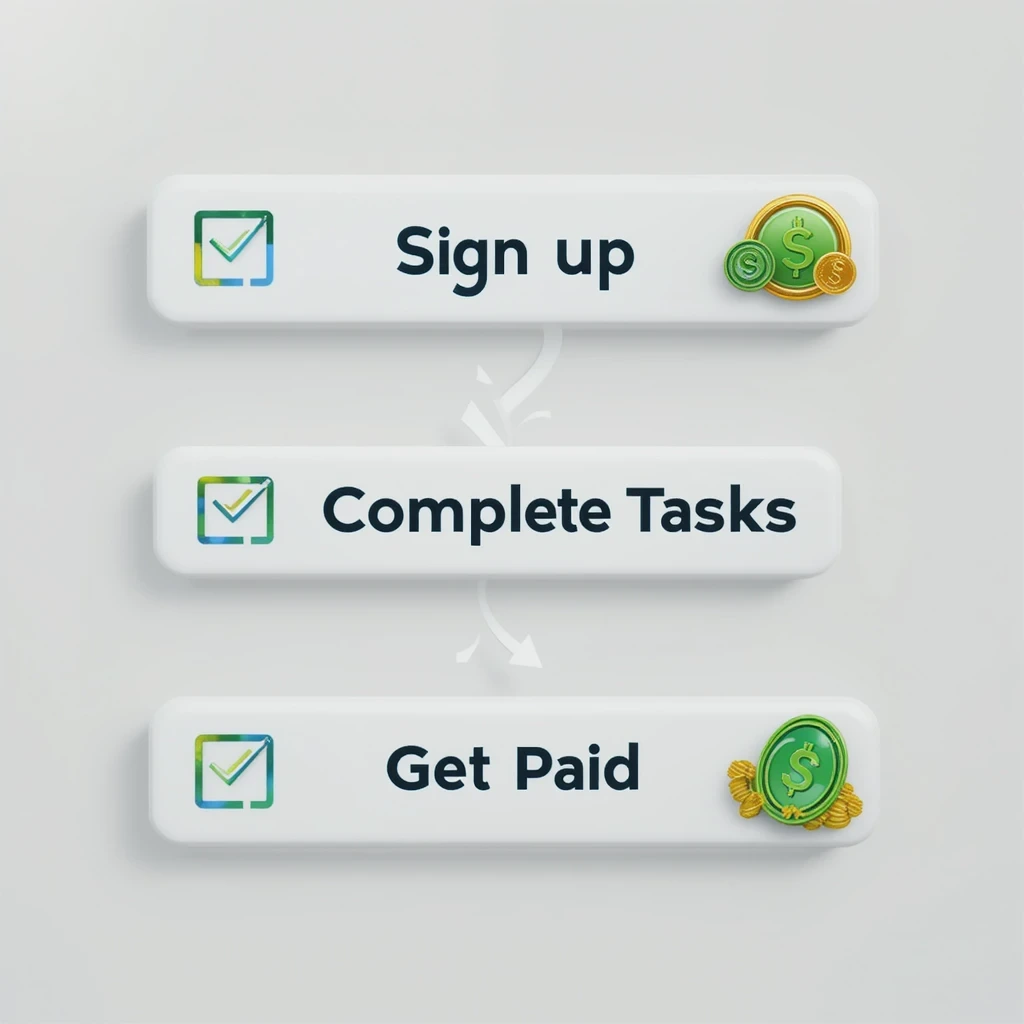
I recommend onboarding to 3–5 platforms that match your strengths (e.g., phone-based field tasks + annotation + usability testing). That gives you steady options when one platform is slow.
The Top 20 Microtask Platforms (with step-by-step strategies)
Note: Earnings vary with country, speed, and task availability. I’ve provided conservative, realistic ranges you can expect when starting and when improving.
1) Amazon Mechanical Turk (MTurk) — Classic microtask marketplace
Overview: A huge marketplace for surveys, data labeling, transcription snippets, and short HITs.
Why use it: Massive task volume; good for steady microtask work once you learn requester patterns.
Step-by-step strategy:
-
Create a Worker account and complete profile + identity checks.
-
Start with simple, high-approval HITs (low pay, quick acceptances) to build approval rate.
-
Use the “Preview” button to quickly scan instructions before accepting.
-
Track requesters that pay fairly; avoid those with high rejection rates.
-
Apply for quals (qualifications) that unlock better-paying HITs.
-
Use time-tracking to compute real hourly rate; drop tasks under your cutoff.
Earnings: Beginner: $2–5/hr. Optimized worker: $6–12+/hr on good hits.
Link: https://www.mturk.com/worker
2) Clickworker (and UHRS access) — Text, research, micro jobs
Overview: Short tasks (writing short texts, tagging images, small research tasks). Some workers get UHRS access (higher-paying search relevance tasks).
Why use it: Steady flow and variety; tests unlock higher-paid work.
Step-by-step strategy:
-
Sign up and complete profile and assessments.
-
Finish short tests (spelling, classification) to raise your trust level.
-
If UHRS becomes available, follow its guidelines closely — accuracy is rewarded.
-
Rotate between microtask types to reduce boredom and increase acceptance.
Earnings: $3–10/hr depending on UHRS access and language.
Link: https://www.clickworker.com
3) Microworkers — Campaign-style micro tasks
Overview: Micro-campaigns such as small surveys, signups, link checking, screenshot proofs.
Why use it: Easy entry and very quick jobs — good when you need small, immediate payouts.
Step-by-step strategy:
-
Sign up, verify your email/profile.
-
Filter tasks by payout and task clarity — skip vague requests.
-
Follow screenshot or proof requirements exactly to avoid rejections.
-
Build a list of reliable employers and repeat when they post.
Earnings: $3–8/hr depending on campaigns.
Link: https://www.microworkers.com
4) Appen / Figure Eight (crowd-labeled AI data) — Long-term micro projects
Overview: AI data labeling, search relevance, transcription, and longer coding-free projects.
Why use it: Projects can be long-term and pay decently once you qualify.
Step-by-step strategy:
-
Apply and pass entry tests; keep your profile updated.
-
Start with small annotation tasks; follow style guides strictly.
-
Maintain high accuracy to receive invites for better-paying projects.
-
Treat long projects like part-time gigs — meet deadlines consistently.
Earnings: $4–15/hr depending on project and country.
Link: https://appen.com
5) Toloka (Yandex Toloka) — AI training microtasks
Overview: Labeling, content moderation, TTL microtasks for machine learning models.
Why use it: Frequent tasks and steady microtask volume across many regions.
Step-by-step strategy:
-
Create account and complete profile.
-
Take test tasks to unlock higher-quality jobs.
-
Focus on repeatable labeling tasks — you’ll get faster and more accurate.
-
Monitor your quality score and keep it high to avoid lockouts.
Earnings: $3–10/hr.
Link: https://toloka.ai
6) Remotasks — Computer vision and annotation microtasks
Overview: Image labeling, bounding boxes, segmentation, and LiDAR tasks.
Why use it: Good for workers who like visual annotation and want structured training.
Step-by-step strategy:
-
Complete all training modules; accuracy gates access to advanced tasks.
-
Start on 2D annotation, then progress to 3D/LiDAR as you gain experience.
-
Use dual monitors or larger displays for speed and accuracy.
-
Log metrics and maintain submission quality.
Earnings: $3–10+/hr depending on tasks.
Link: https://www.remotasks.com
7) Hive Micro — Fast microtask labeling
Overview: Quick image/text tagging tasks for AI training.
Why use it: Very fast tasks — good if you value volume over complexity.
Step-by-step strategy:
-
Sign up, pass short quizzes, and start simple tagging.
-
Group similar tasks into sprints to build speed.
-
Don’t sacrifice accuracy; repeated errors can lose you access.
Earnings: $3–8/hr.
Link: https://hivemicro.com
8) Prolific — Academic surveys (transparent pay)
Overview: University/academic studies and social research with clear pay and ethics.
Why use it: Fair pay and low rejection rates; good hourly-equivalent rates for some tasks.
Step-by-step strategy:
-
Sign up and complete detailed profile info — you’ll qualify for more relevant studies.
-
Watch for higher-paying experiments that fit your demographics.
-
Be honest and thorough — rejection is rare but possible.
Earnings: $5–20 per study depending on length (equiv. $6–20+/hr).
Link: https://www.prolific.co
9) UserTesting — Usability tests that pay well per test
Overview: Record your screen and voice while completing tasks on sites/apps.
Why use it: High pay per session (often $10–$60 per test) with clear instructions.
Step-by-step strategy:
-
Apply and pass the sample test to become a tester.
-
Enable both desktop and mobile; multi-device access gets more invites.
-
Speak your thoughts clearly and follow tasks precisely.
-
Aim for consistent high ratings to receive premium tests.
Earnings: $10–60 per test; common short tests pay $10–15 for 10–20 minutes.
Link: https://www.usertesting.com
10) Respondent.io — Paid research interviews & high-value micro tasks
Overview: In-depth interviews, user research with expert pay (more than standard microtask rates).
Why use it: Excellent for specialists or people with niche skills; high per-session pay.
Step-by-step strategy:
-
Create a detailed profile to match high-paying studies.
-
Answer screeners honestly and quickly — slots fill fast.
-
Prepare for interviews with clear examples and a quiet space.
Earnings: $50–200+ per interview for niche qualifications.
Link: https://www.respondent.io
11) Swagbucks / ySense (ClixSense) — Surveys, offers, and everyday micro tasks
Overview: Surveys, watching videos, offerwalls; low-barrier ways to earn gift cards or PayPal.
Why use it: Easy tasks for casual earners; combine with cashback and shopping.
Step-by-step strategy:
-
Sign up, complete profile surveys to improve matching.
-
Choose high-ROI offers and surveys (skip those that waste time).
-
Redeem strategically (PayPal or better-value gift cards).
Earnings: Small — $1–5/day for casual use; more if you are strategic.
Links: https://www.swagbucks.com | https://www.ysense.com
12) Microwork / RapidWorkers / Neo-variations — Quick pay micro gigs
Overview: Platforms with lots of short campaigns (small transcription pieces, signups, checks).
Why use it: Quick potential cash when you need to top up.
Step-by-step strategy:
-
Filter by higher payouts and clear instructions.
-
Keep a folder of proof screenshots for disputes.
-
Avoid tasks that ask for questionable personal info.
Earnings: $3–10/hr depending on task selection.
Links: https://www.rapidworkers.com
13) uTest (Applause) — Real device testing and bug reporting
Overview: Functional and UX testing on real devices; bugs can have bounties.
Why use it: Good for those with multiple devices — bug bounties can exceed hourly rates.
Step-by-step strategy:
-
Sign up and list all devices/OS; more devices = more invites.
-
Learn to write clear, reproducible bug reports.
-
Participate in test cycles consistently to build reputation.
Earnings: Effective $10–30+/hr when you find good bug bounties.
Link: https://www.utest.com
14) Testbirds — Crowd-powered testing for apps & IoT
Overview: Structured test cycles with device-specific checks.
Why use it: Clear instructions, varied tests; good for flexible device owners.
Step-by-step strategy:
-
Create a tester profile and include all your devices.
-
Complete sample tests to verify eligibility.
-
Respond quickly to invites — they fill fast.
Earnings: €5–€30 per test depending on length.
Link: https://www.testbirds.com
15) Field Agent / Gigwalk — On-the-ground microtasks (photos, price checks)
Overview: Store audits, price checks, product placement photos — you use your phone in local stores.
Why use it: Good for people who can travel a little; pay per job can be solid for short tasks.
Step-by-step strategy:
-
Download app, enable location and notifications.
-
Reserve or claim jobs near your route to avoid extra travel.
-
Follow photo and tagging rules exactly.
-
Upload on good cellular/Wi-Fi to avoid timeouts.
Earnings: $3–20 per gig depending on complexity.
Links: https://www.fieldagent.net | https://www.gigwalk.com
16) Userlytics / Trymata / IntelliZoom — Usability & think-aloud testing
Overview: Multiple platforms for recording usability sessions, often paying per session.
Why use it: Diverse pool of tests; applying to several increases invites.
Step-by-step strategy:
-
Sign up across platforms to multiply opportunities.
-
Keep good audio and a quiet environment.
-
Think aloud and narrate clearly.
Earnings: $10–50 per session depending on site and test.
Links: https://www.userlytics.com | https://trymata.com | https://www.intellizoom.com
17) Lionbridge / TELUS International AI Community — Rater & assessor roles
Overview: Search quality rater and AI evaluation jobs with hourly-style pay.
Why use it: Better pay and stability for qualified raters in supported countries.
Step-by-step strategy:
-
Apply, pass the qualification tests and follow guidelines closely.
-
Keep a schedule — some roles require consistent hours.
-
Maintain high compliance with guidelines.
Earnings: Often regionally competitive — $8–20/hr depending on role.
Links: https://www.lionbridge.com | https://www.telusinternational.com
18) Premise / Streetbees — Local micro surveys and photo tasks
Overview: Short local surveys, store audits, photo evidence tasks via mobile.
Why use it: Good for people who are out and about and can verify local conditions.
Step-by-step strategy:
-
Install the app, enable permissions, and complete profile.
-
Monitor tasks nearby and batch them on one route.
-
Follow photo and description rules exactly.
Earnings: $1–10 per task depending on region.
Links: https://www.premise.com | https://www.streetbees.com
19) Rev / Transcription micro gigs — Short audio-to-text tasks
Overview: Micro transcription tasks for short clips or captions.
Why use it: If you type fast, these can be higher-value micro tasks.
Step-by-step strategy:
-
Pass transcription test and set up a comfortable workspace.
-
Use quality headphones and text expanders for common phrases.
-
Deliver accurate transcripts to avoid rejections.
Earnings: $7–20/hr depending on speed and quality.
Link: https://www.rev.com
20) TimeBucks / CrowdFlower-like alternatives — Misc microtask marketplaces
Overview: Offer varied small tasks, promo tasks, and referral-based earning.
Why use it: Additional place to pick low-effort tasks when others are low.
Step-by-step strategy:
-
Treat these as last-resort tops-ups.
-
Skip tasks that look spammy or ask for undue personal info.
-
Use time-limited offers smartly.
Earnings: Varies widely; often low but useful for quick payouts.
Link: https://timebucks.com
How to pick the right microtask mix for you (short version)
-
If you prefer phone/mobile: Field Agent, Premise, Gigwalk, Streetbees.
-
If you prefer annotation/AI work: Remotasks, Hive Micro, Appen, Toloka.
-
If you like testing & talking: UserTesting, Userlytics, Prolific.
-
If you need low-friction casual tasks: Swagbucks, ySense, Microworkers.
-
If you have multiple devices and can spot bugs: uTest, Testbirds.
Mix one from each bucket to keep steady options.
My real workflow for microtask productivity (what I actually do)
I treat microtask work like a shift:
-
25–50 minute sprint blocks.
-
Rotate platforms every 2–3 sprints to avoid monotony.
-
Keep a spreadsheet logging task time, pay, requester, and approval rate.
-
If a requester rejects frequently, blacklist them in my sheet and avoid future tasks.
-
Cash out regularly and funnel earnings into savings or a small skill course (see Smart Ways to Grow Your Savings).
This approach raised my effective hourly from ~$4 to ~$9 in two months because I removed low-ROI tasks and focused on repeatable, quality work.
Q&A — Common microtask questions (direct answers)

Q: Are microtask platforms legit?
A: Yes — the ones on this list are reputable. Treat them as a side gig, not a salary replacement.
Q: How much time should I put in daily?
A: Start with 1 hour/day to learn platforms, then scale to 3–6 hours if you want a meaningful side income.
Q: How much can I realistically earn each month?
A: Casual users: $50–200. Consistent, optimized users: $300–1,000+ depending on hours and region.
Q: Do I need special hardware?
A: Basic tasks need a phone or laptop. Advanced testing or annotation you’ll benefit from a second monitor and good headphones.
Q: Can I use microtask earnings to grow into freelance work?
A: Absolutely — use earnings to fund short courses, or practice skills that move you to higher-paying gigs like freelancing or product testing.
Personalized 30-day microtask plan (practical, step-by-step)
This is the exact playbook I recommend if you want to reach $100+ in month 1 (time: ~1–2 hours/day). Follow it strictly.
Days 1–3 — Setup & verification
-
Sign up to: MTurk, Clickworker, Remotasks, UserTesting, and Swagbucks (or ySense).
-
Complete all verifications and profile sections. Add PayPal / payment links.
-
Do sample tasks to pass any onboarding tests.
Days 4–10 — Learning & small wins
-
Spend 1 hour/day learning each platform and completing easy tasks.
-
Track real time per task and approval rates in a spreadsheet.
-
Aim to clear $20–40 by Day 10.
Days 11–20 — Scale the winning tasks
-
Identify the two platforms where you earned best hourly. Double down.
-
Apply for qualification tasks/quals to unlock higher-paid jobs.
-
Start 50-minute focused sprints (Pomodoro-style).
Days 21–30 — Optimize & cash out
-
Drop low-ROI tasks. Reallocate time to highest yield tasks.
-
Start taking 1–2 usability tests per week (UserTesting / Prolific) — they pay well.
-
Cash out earnings and set aside 30–50% into savings or reinvest in a quick course (coding on Replit is a great option — see Earn from Replit).
If you follow the plan and maintain 1–2 hours daily, reaching $100 in month 1 is realistic; with more hours and improved quals you can scale much higher.
Tips to keep your microtask side hustle sustainable
-
Protect your approval score — it directly affects access to higher-paying tasks.
-
Be conservative with new requesters — test one task first before committing many hours.
-
Avoid tasks asking for bank logins or off-platform payment — reputable sites never request this.
-
Use multiple platforms — when one is dry, others will fill the gap.
-
Track your hourly rate and set a minimum acceptable rate; if a task pays less, skip it.
Q&A addendum — pitfalls & advanced questions
Q: What leads to account suspension?
A: Patterned low quality, repeated guideline violations, using bots or scripts, or suspicious payment behavior.
Q: Tax time — do I need to report microtask income?
A: Yes. Track your earnings and keep records. Many platforms issue tax forms if you cross local thresholds.
Q: Any shortcuts?
A: No magic shortcuts — speed comes with practice and focused repetition. Invest in a good workflow and small tools like text expanders and screenshot utilities.
Conclusion — how to turn microtasks into meaningful side income

Microtasks are real, flexible, and a great way to earn predictable side income. They won’t replace a full-time salary overnight, but with consistent practice, selection, and optimization you can make real, bankable money. Start small, track everything, and redeploy earnings into skills or savings using the tips in Smart Ways to Grow Your Savings (2025). If you like technical work, scale into a coding or automation skill path — I recommend checking Earn from Replit — Proven Ways (2025 Guide) for next steps.